WELCOME TO MY CODING PORTFOLIO !

Font Awesome Icons

Visit my GitHub account!

June 12th, 2018

Today, I learned how create a separate css file for my web page. We created a new file and titled it "myStyle.css" and moved over all the style information. Then, I learned how to keep the style by linking the css file in the html files. I also learned how to "push" my GitHub to keep information updated.

June 13th, 2018

I made so many changes to my website today! I learned how to add gifs to my website and how it's just like adding pictures. I also opened up a JavaScript file today and learned to place everything under script within that section. I had some trouble at first but managed to add 3 functions to my about page.

Caesar's Cipher

Caesar's cipher involved using functions, branching, and variables. We created our file in Python. we had our string which was our original message and we added our shift amount which was the number of places we wanted our letters to change from the alphabet or in this case our asciiValue. We had to create a variable for our character and set it equal to our cypherString so we could print our cipher

Circuits

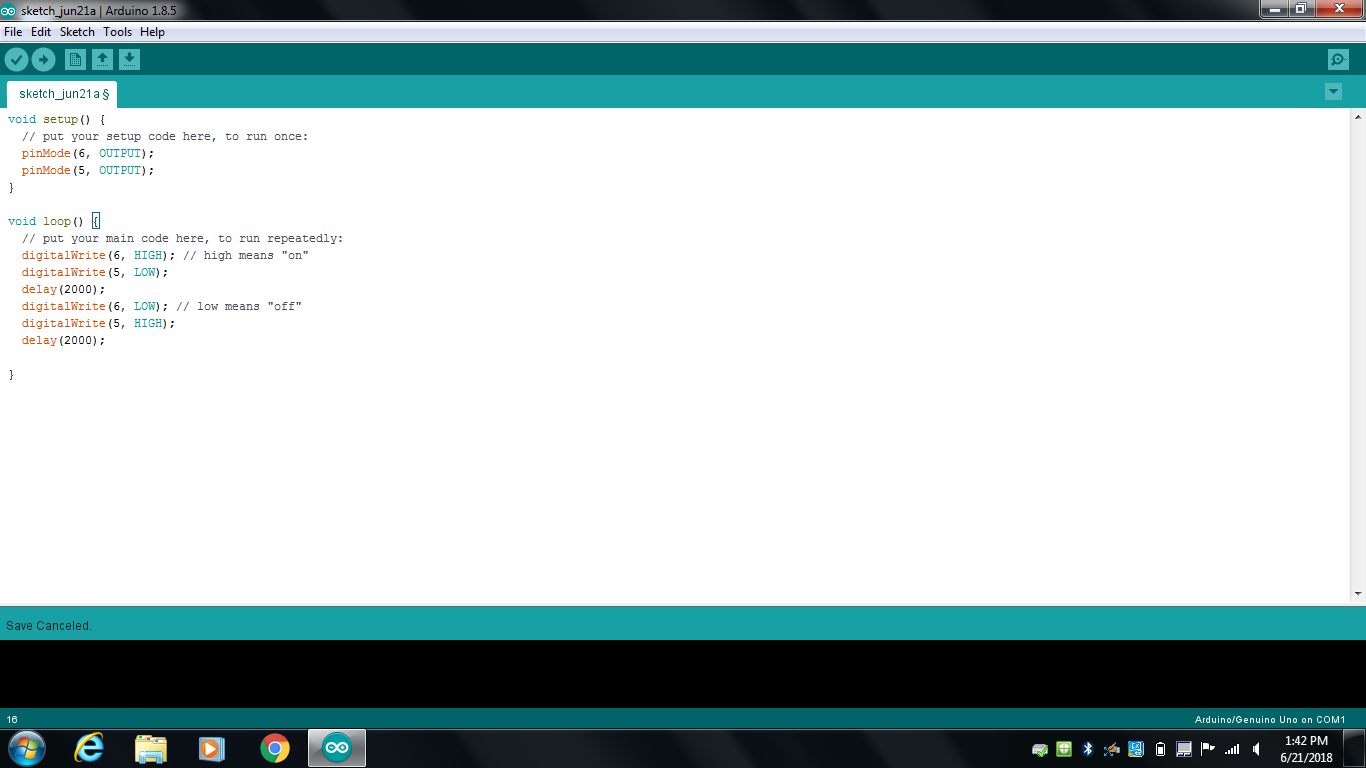
Today we worked on building a circuit on our breadboard and learned to make the lights turn on. Then we used Arduino to upload a code to our breadboard. We also decided to connect two of our boards together so they could both light up. We experimented with the speed of the flash of the lights and we made also made the lights on each breadboard blink at different speeds. We did this by changing the number in the code with the "delay(#)" either below the digitalWrite low or high statement.

circuits1 ino

Robot Car

We spent the end of our day with circuits building our robot car. One conflict we entered when building this car was that the Arduino's screws wouldn't go straight into the holes into our car, we struggled a lot with that part, but we decided to screw it in slightly crooked. But it still worked! Once done building the car, we uploaded the code to it so it could move. When we first ran our car we realized the car was moving backwards instead of forwards because of an error on our part by flipping the motor. This was an easy fix by searching for the motor function on the code and simply switching the 1(forward) to a 2 (backward) so the wheels would go bakwards but the car would be moving forward. We ran it again and our robot was acting so weird and it would bump into everything and simpley go in circles. After this, we changed the speed of our car and made it go faster through the function of the motor. We also changed the distance the censor would detect. When we ran it again our robot seemed to be running pretty well. It would stop before hitting anything and the sensor would turn and help our car make a turn. However, after we reuploaded our car and we ran it, the sensor would stop moving to both sides and it would only move to one side and just BARELY. We traded the servo of our car with another and it the sensor would still not move, the car still moved though. This was a fun experience.